
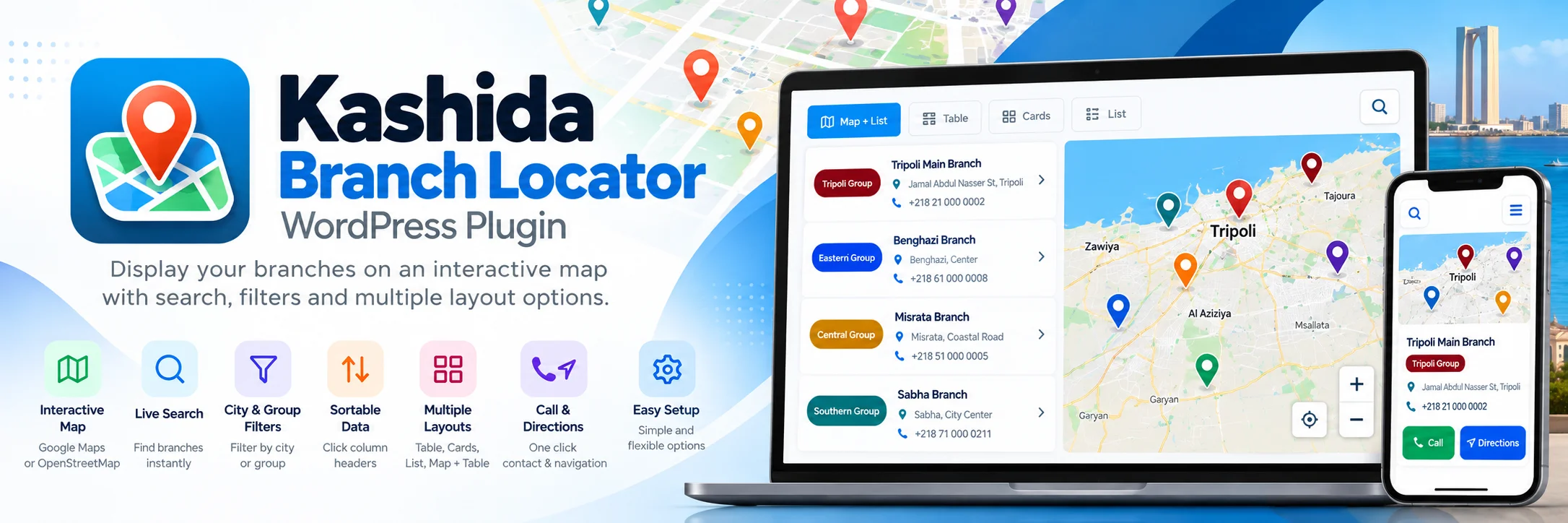
Kashida Branch Locator
helps you display and manage business locations on interactive maps, organized lists, and tables, with search, filtering, and convenient data import tools.
PLUGIN DETAILS
- Version: v2.5.22
- Last Updated: 10-2026
- License: GPL-2.0-or-later
- WordPress Version: v5.8
- PHP Version: v8
- Languages: English, Arabic
- Plugin Type: Free
- Developer: Kashida Media Services
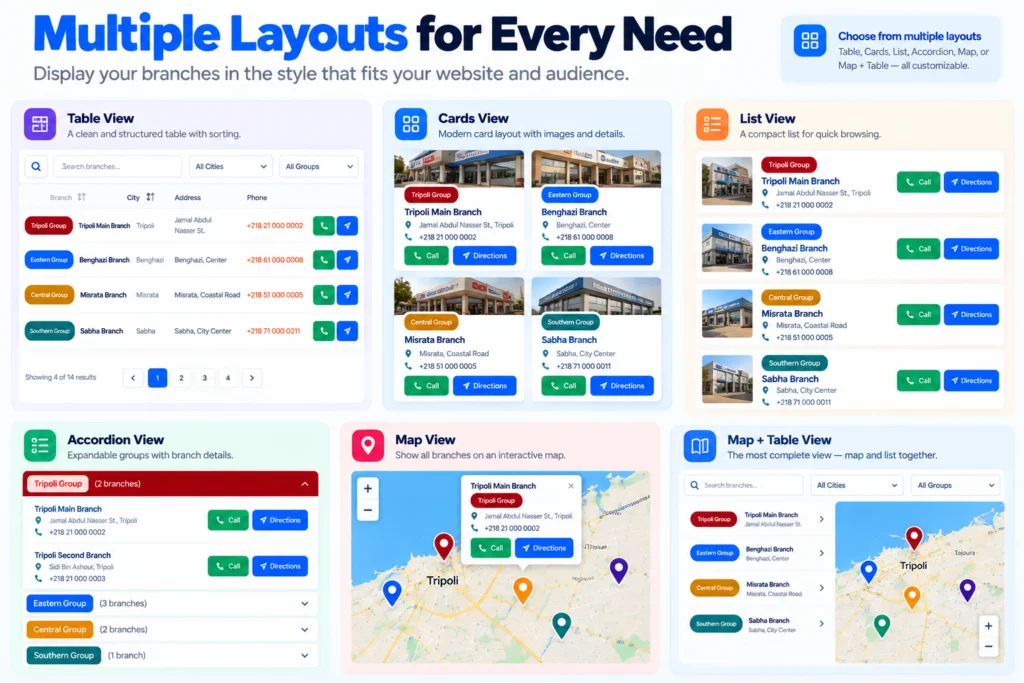
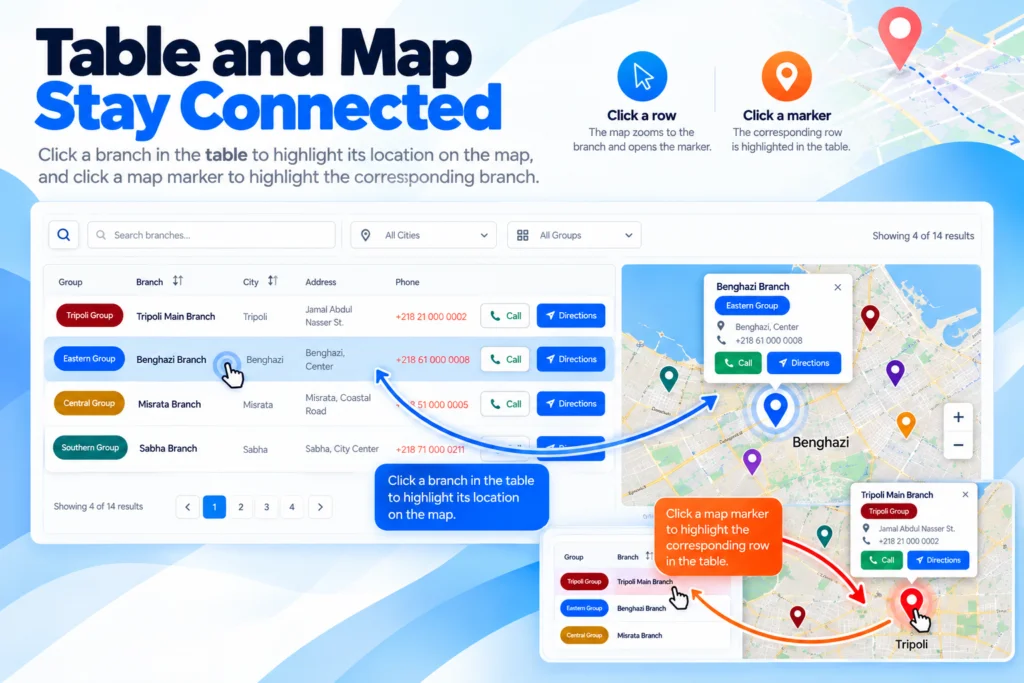
Kashida Branch Locator is a lightweight WordPress plugin for managing and displaying business branches, offices, stores, service centers, and other locations.
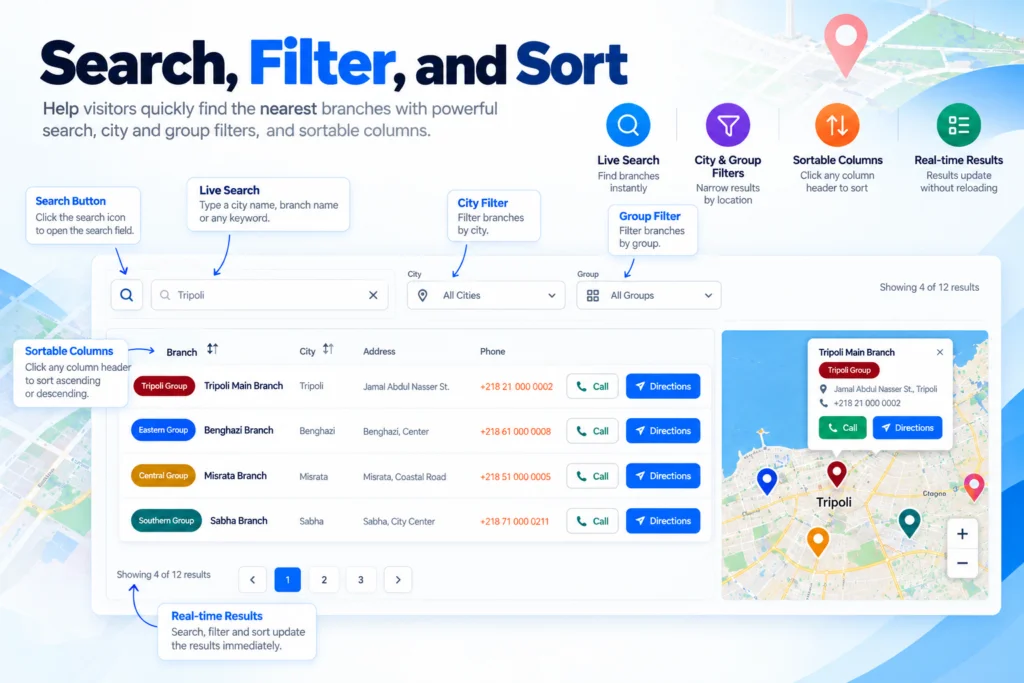
Create organized location directories with interactive maps, searchable listings, city and group filters, sorting, and pagination.
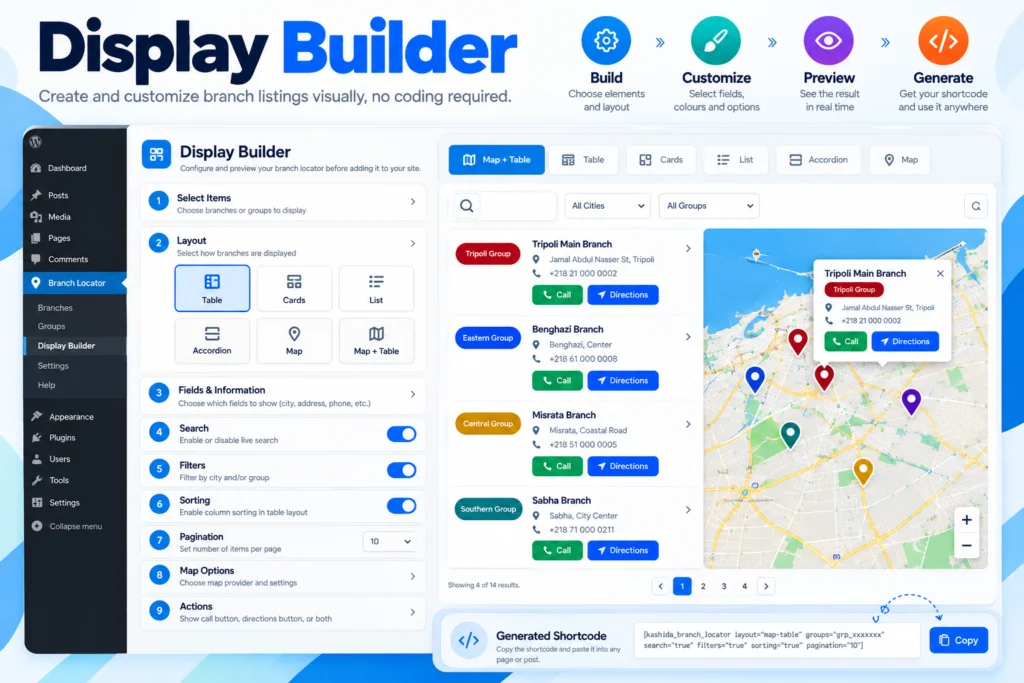
The built-in Display Builder lets you select branches or groups, customize the display layout, configure visible information, and generate shortcodes without writing code.
Key Benefits
- Manage branches and groups from your WordPress dashboard.
- Display locations in six flexible layouts.
- Help visitors find locations using search and filters.
- Import branch data from CSV and XLSX files.
- Display locations on interactive OpenStreetMap maps.
- Customize branch directories using the built-in Display Builder.
Six Display Layouts
Choose from six responsive layouts to present your branch directory:
- Table: Structured listings with sortable columns.
- Cards: Modern cards displaying branch information.
- List: Compact listings for quick browsing.
- Accordion: Expandable sections for grouped branches.
- Map: Interactive maps with branch markers.
- Map + Table: A synchronized map and branch listing.
Search, Filters & Sorting
Help visitors find locations using live search, city and group filters, sortable table columns, and pagination.
Interactive Maps
Display branch markers and information popups using OpenStreetMap. Depending on the selected layout, visitors can explore locations through the map, branch list, or both.
Branch & Group Management
Create branches, organize them into reusable groups, and display individual branches or selected groups using shortcodes.
CSV & Excel Import
Import branch information from CSV and XLSX files, with supported validation, preview, coordinate checks, warnings, and error reporting.
Visual Display Builder
Select branches or groups, choose a layout, configure visible fields and visitor options, and generate a shortcode through the built-in interface.
Shortcode Integration
Place branch directories on WordPress pages, posts, and other shortcode-enabled areas without writing code.
Kashida Branch Locator helps businesses organize and present their physical locations through a searchable directory and interactive map.
- Retail Chains: Display stores and retail outlets by city or region.
- Corporate Offices: Organize company offices and administrative locations.
- Service Centers: Help customers locate service and maintenance centers.
- Healthcare: Present clinic and medical center locations.
- Education: Display schools, training centers, and educational facilities.
- Franchises: Organize branches into groups for easier navigation.
- Distribution Networks: Present warehouses, authorized dealers, and service points.
Each directory can be configured to display the locations and information relevant to its intended audience.
Installation Guide
- Upload the plugin ZIP file through Plugins → Add New Plugin → Upload Plugin, or install it using your preferred supported installation method.
- Activate Kashida Branch Locator from the WordPress Plugins screen.
- Open Branch Locator in the WordPress dashboard.
- Create groups to organize your branches, if required.
- Add branches manually or import data from a CSV or XLSX file.
- Enter latitude and longitude coordinates for locations that should appear on the map.
- Open Display Builder and select the branches or groups to display.
- Choose a layout and configure the available display options.
- Generate and copy the shortcode.
- Insert the shortcode into your desired WordPress page or post, then publish or update the page.
System Requirements
- WordPress: 5.8 or later
- PHP: 8.0 or later
Map Requirements
The plugin uses OpenStreetMap tile services and does not require a Google Maps API key for its built-in map. The Directions feature can open Google Maps when visitors request directions.
Is Kashida Branch Locator free?
Kashida Branch Locator is offered as a free WordPress plugin.
Can I display branches without a map?
Yes. Choose a layout such as Table, Cards, List, or Accordion, depending on the presentation you need.
Can I display only selected branches or groups?
Yes. Use the Display Builder to configure the branches or groups included in a directory and generate the corresponding shortcode.
Can I import branches from Excel?
Yes. The plugin supports CSV and XLSX imports, subject to the file format and fields supported by the current version.
Do I need a Google Maps API key?
No. The built-in map uses OpenStreetMap tiles. The Directions feature can open Google Maps when selected by a visitor.
How do I display a branch directory?
Configure the desired locations and layout in Display Builder, generate the shortcode, and paste it into a WordPress page or post.
Does the plugin send branch data to Kashida servers?
Branch and group data are stored within your WordPress website. The plugin is designed without telemetry or tracking that sends branch data to Kashida servers. The map and directions features may contact their respective external services.
Where can I get support?
Visit the Kashida Media Services website for plugin documentation and available support resources.
Review the release history of Kashida Branch Locator to see feature additions, improvements, bug fixes, and compatibility updates.
Version 2.5.22
Fixed
- Fixed WordPress Plugin Check errors related to direct PHP filesystem operations in the CSV parser.
- Updated CSV file handling to use WordPress filesystem APIs.
- Improved CSV parsing for quoted fields, embedded delimiters, and multiline values.
- Improved compatibility with WordPress coding standards for file handling.
Improved
- Enhanced CSV import reliability and error handling.
- Maintained support for importing branch locations and groups from CSV files.
- Compatibility
- WordPress filesystem API compatibility improvements.
- CSV import support.
Plugin Information
- Plugin Name: Kashida Branch Locator
- Version: 2.5.22
- Developer: Kashida Media Services
- License: GPL-2.0-or-later
- Requires WordPress: 5.8 or later
- Requires PHP: 8.0 or later
- Text Domain: kashida-branch-locator
- Map Provider: OpenStreetMap
- Import Formats: CSV, XLSX
- Display Layouts: Table, Cards, List, Accordion, Map, Map + Table
- Translation: WordPress gettext and .po/.mo files; multilingual plugin compatibility as supported
- External Services: OpenStreetMap tile services; Google Maps for directions
- Tracking & Telemetry: No plugin telemetry or branch-data transmission to Kashida servers
Developer
Kashida Media Services
https://kashida.ly/
Developer: Mrwan elGobee