

Kashida Slider
Create responsive sliders and carousels with flexible layouts, customizable text and colors, image shapes, navigation controls, autoplay, and support for blog posts, portfolio content, and WooCommerce products.
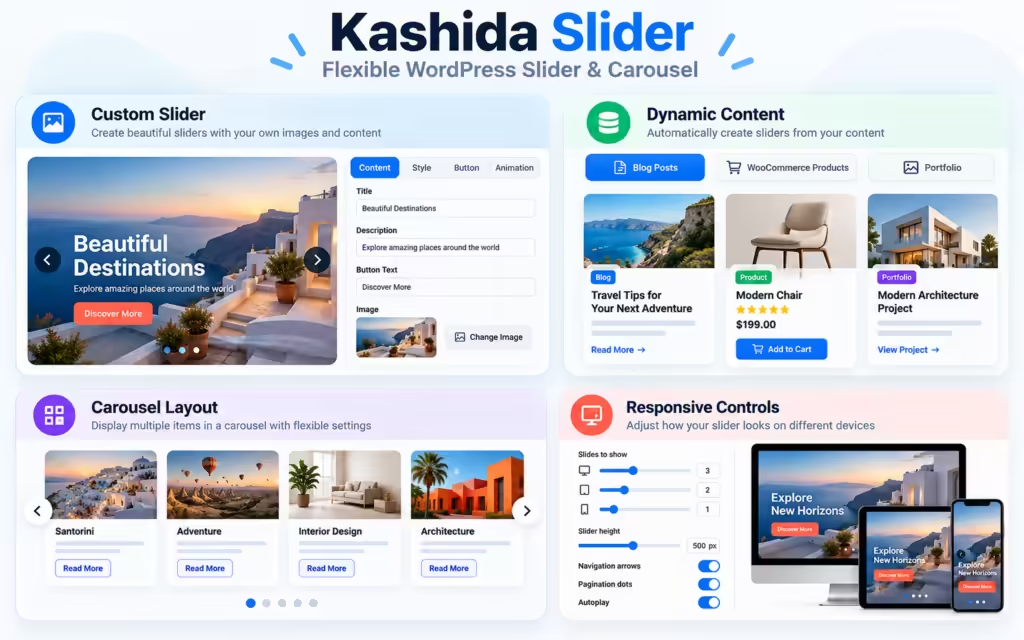



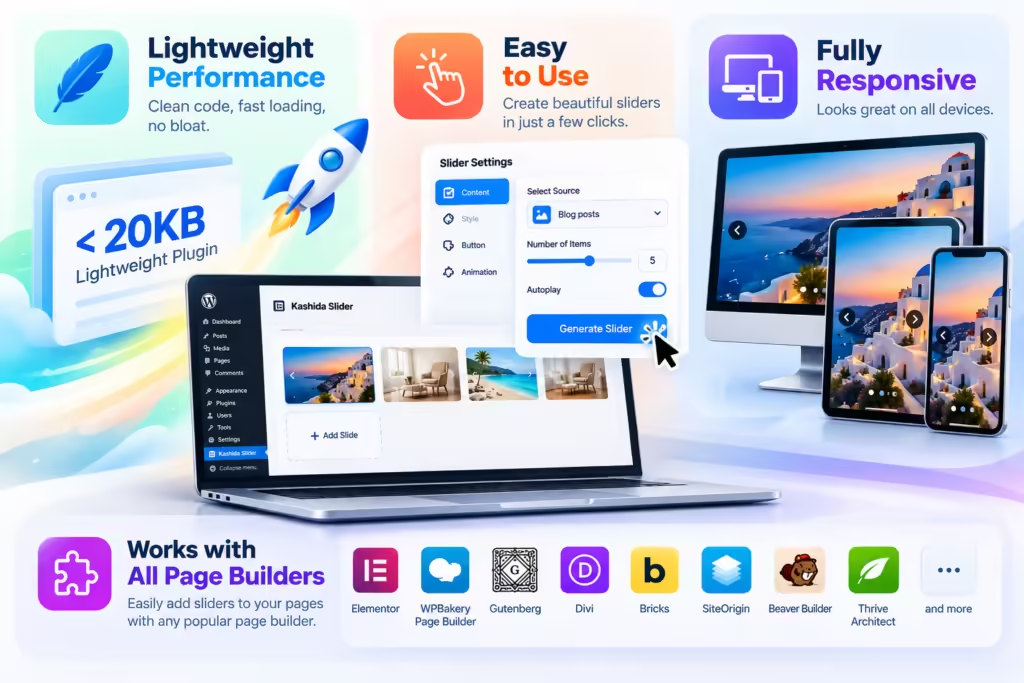
Kashida Slider is a flexible WordPress plugin for creating responsive sliders and carousels with customizable layouts and presentation styles. Display featured content, portfolio projects, blog posts, and WooCommerce products in visually engaging sliders that adapt to desktop, tablet, and mobile screens.
Key Benefits
- Create sliders using multiple layout styles.
- Customize text, colors, typography, and image shapes.
- Control responsive columns for different devices.
- Configure autoplay, navigation arrows, and pagination dots.
- Display content from supported WordPress post types and WooCommerce products.
- Save and reuse sliders with shortcodes.
Flexible Display Layouts
Choose from supported slider layouts, including hero overlays, minimal presentations, content-below-image cards, multi-column carousels, and product cards.
Live Preview
Preview layout and appearance changes while configuring your slider, where supported by the editor.
Responsive Design
Configure column counts for desktop, tablet, and mobile devices to create layouts suited to different screen sizes.
Typography and Colors
Customize title and description sizes, text colors, button styling, and overlay appearance using the available settings.
Navigation and Autoplay
Configure slider navigation arrows, pagination dots, and autoplay options according to your requirements.
Multiple Content Sources
Display supported blog posts, portfolio content, and WooCommerce products using the available content-selection options.
Shortcode Support
Save your slider configuration and insert the slider into compatible WordPress pages and posts using its shortcode.
Kashida Slider helps present website content in engaging, organized, and responsive layouts.
- Business Websites: Highlight services, featured content, and important announcements.
- Blogs and News: Display recent or featured posts.
- Portfolios: Showcase projects and creative work.
- WooCommerce Stores: Present products in slider and carousel layouts.
- Landing Pages: Create prominent hero sliders and featured-content sections.
- Agency Websites: Highlight projects, services, and selected work.
Installation
- Download the plugin ZIP file.
- Log in to your WordPress dashboard.
- Navigate to Plugins → Add New Plugin → Upload Plugin.
- Select the ZIP file and click Install Now.
- Activate the plugin.
- Open Kashida Slider, create a slider, configure its layout and content, then save it.
- Copy the generated shortcode and insert it into the desired page or post.
Is Kashida Slider free?
Yes. Kashida Slider is available as a free WordPress plugin.
What content can I display?
The plugin supports the content sources available in your installation, including blog posts, portfolio content, and WooCommerce products.
Can I customize the slider layout?
Yes. You can configure the available layout styles, responsive columns, image shapes, typography, colors, and other supported presentation options.
Does it support mobile devices?
Yes. The plugin provides responsive column settings for desktop, tablet, and mobile layouts.
Can I control navigation and autoplay?
Yes. You can configure the available autoplay, navigation-arrow, and pagination-dot settings.
How do I add a slider to a page?
Create and save a slider, then insert its generated shortcode into the desired WordPress page or post.
Can I edit a saved slider later?
Yes. Open the saved slider in the plugin, make your changes, and save the updated configuration.
Where can I get help?
Visit the Kashida Media Services website for available documentation and support information.
Review the release history of Kashida Slider to learn about improvements, bug fixes, and new features.
Changelog — Version 1.4.16
- Added Selected Pages content source with hierarchical page display and page selection controls.
- Improved dynamic content cleanup to reduce visible WPBakery shortcodes in post and page excerpts.
- Added controls for outer padding and outer border visibility, color, and width.
- Added card border controls, including visibility, color, and width.
- Added Square as a carousel image shape option.
- Added adjustable spacing between carousel images and their text.
- Improved Arabic translations for page selection controls and related interface elements.
- Improved the WooCommerce price sorting query to address a potential slow-query warning.
Plugin Information
- Plugin Name: Kashida Slider
- Plugin Version: 1.4.16
- Plugin Type: Free
- Content Sources: Supported WordPress posts, portfolio content, and WooCommerce products
- Display Options: Supported slider layouts and image shapes
- Responsive Columns: Desktop, Tablet, Mobile
- Typography: Configurable text sizes and colors
- Navigation: Configurable arrows and pagination dots
- Autoplay: Available configuration options
- Integration: WordPress and WooCommerce, where supported by the installed configuration
Developer
Kashida Media Services
https://kashida.ly/
Mrwan elGobee
https://www.behance.net/Mrwan_elgobee